Touch keeps the work active.
Handling a tool with more than the eyes supports memory and attention, eases cognitive load and keeps the controller actively involved.
Shaped: a removable strip and changes written by hand.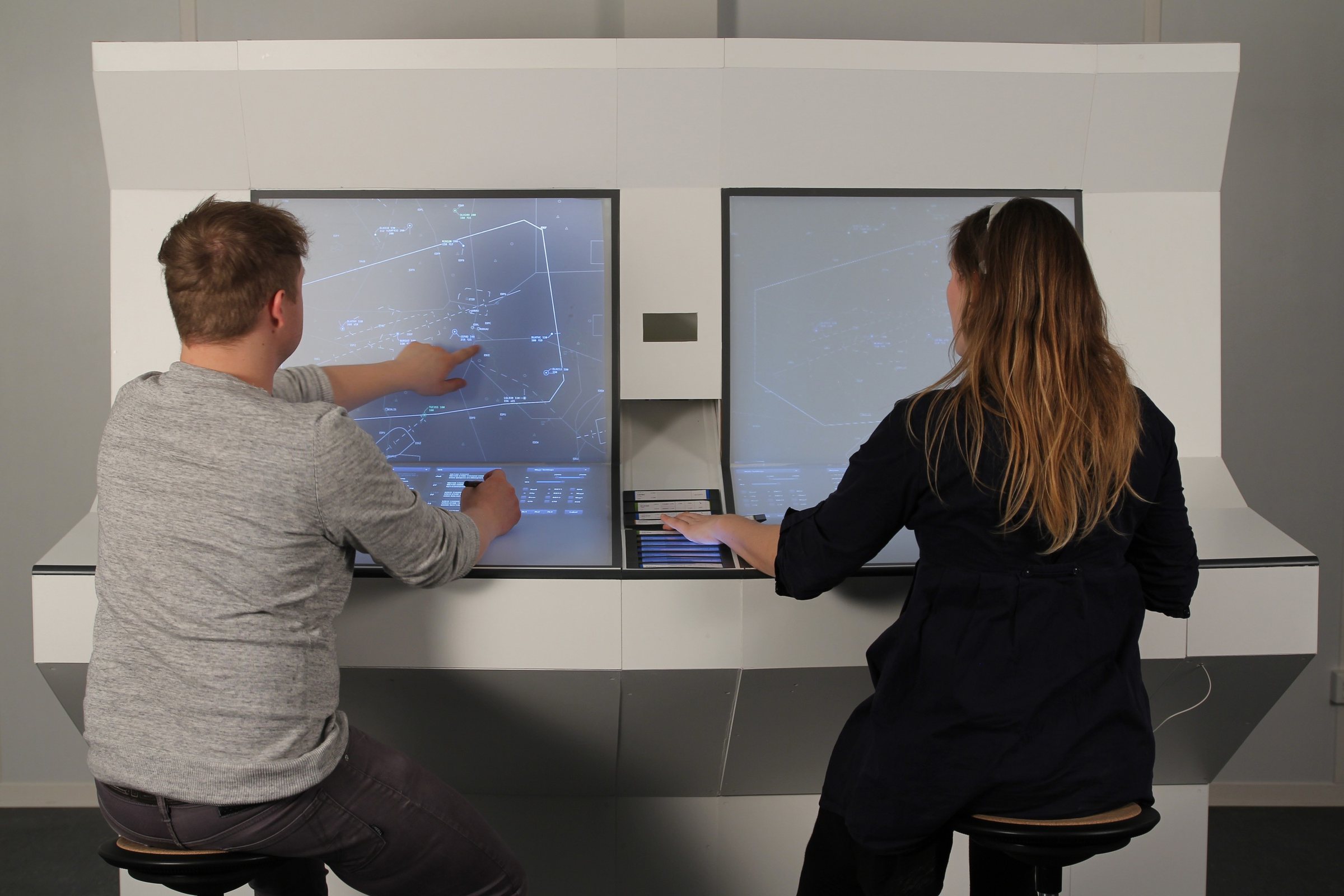
TESS · Air traffic control
A workstation concept for air traffic control that keeps the physical strip’s role in memory, planning and teamwork — while connecting it to a digital system.
Explore the case01 / Starting point
In 2012, German air traffic control was moving from paper flight strips towards digital systems. The strip carried each aircraft’s information, but its value went beyond the data printed on it.
A controller could tilt it to flag a situation, write on it to commit a change, or see a partner’s work without asking. We wanted to understand which of these quiet interactions a digital replacement would keep — and which it would erase.
I developed TESS as my bachelor’s thesis with Martha Miosga and Luise Pescheck. The three of us shared every phase, from fieldwork to the full-scale model.
Writing and arranging keep the traffic picture active in the controller’s mind.
Order, marks and earlier values make upcoming decisions visible.
Movement, gestures and position communicate across a two-person team.
02 / Fieldwork
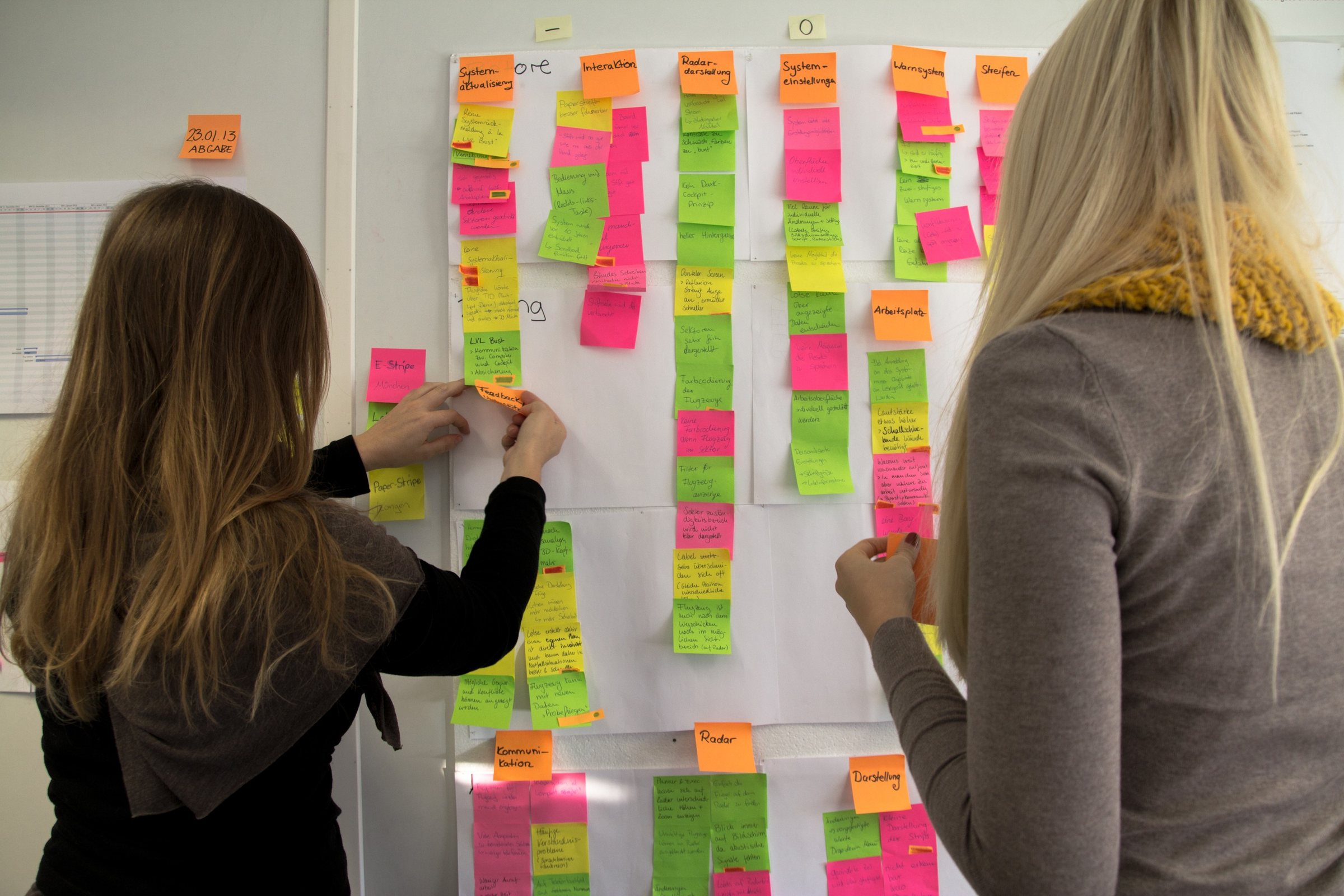
We visited three control centres of DFS, Germany’s air navigation service (Deutsche Flugsicherung), in Langen, Munich and Karlsruhe, spoke with controller teams and compared a paper workflow with two generations of digital tools. The interviews happened before we designed TESS.
Controllers could handle, mark and arrange the strip directly. Its information could not update itself.
Pen tablets kept the strip metaphor while placing the information on a digital surface.
Information was current on screen, but the physical object and many of its everyday gestures were gone.
03 / Insight
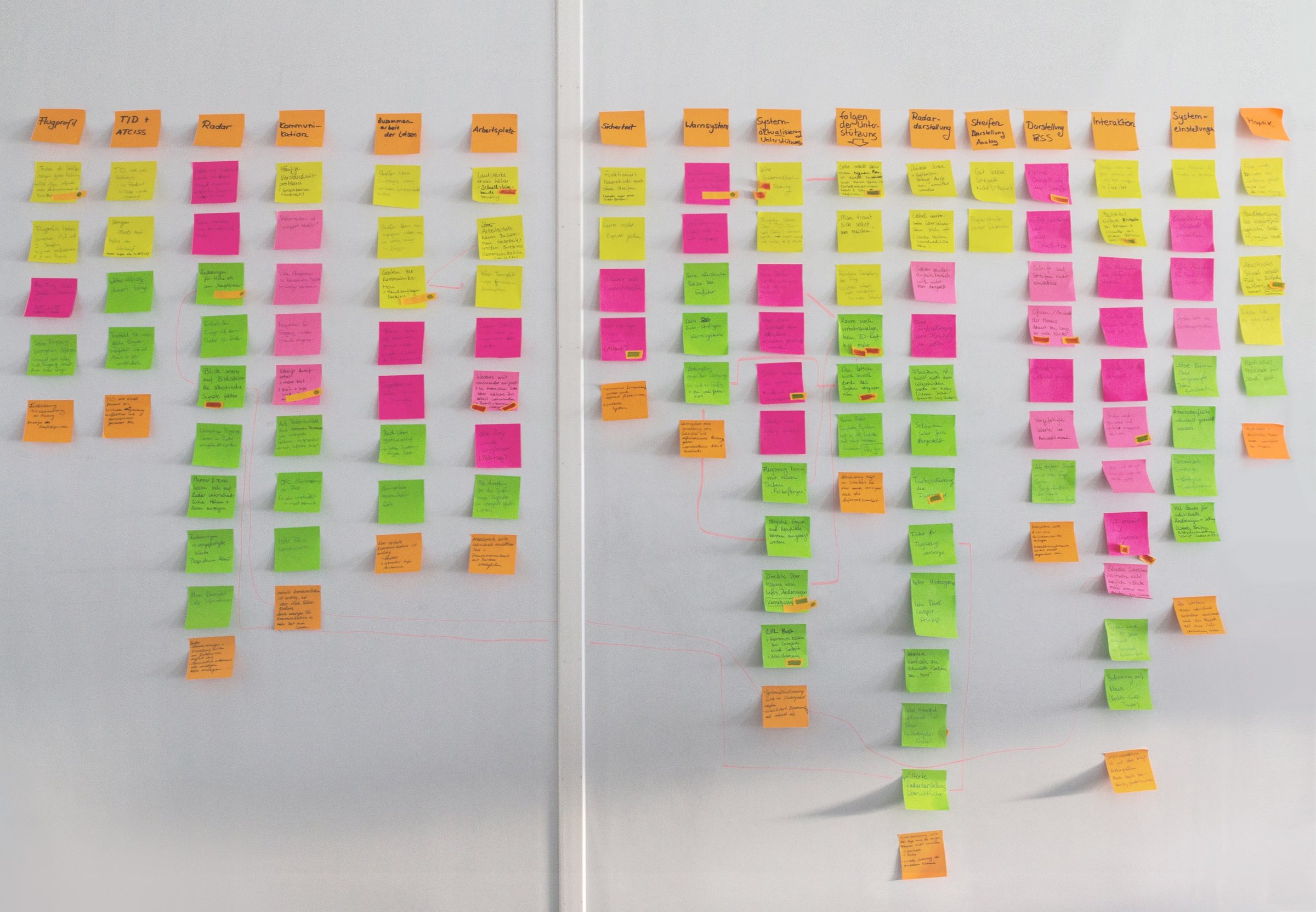
In our interviews, paper supported handling, marking and shared planning; the digital systems kept information current. That tension became our design brief: connect the strip to the system while preserving deliberate gestures and a shared view of the work. This was our qualitative synthesis, not a measured ranking.
As active as paper.
As connected as digital.
Handling a tool with more than the eyes supports memory and attention, eases cognitive load and keeps the controller actively involved.
Shaped: a removable strip and changes written by hand.The more a system does for people, the more their skills weaken over time — and with them the sense that their own work counts.
Shaped: support that stays optional, so controllers keep planning the traffic themselves.Unlike the paperless strip system, paper strips supported working together — and with it, intuitive and safe work.
Shaped: the 170° layout and one shared strip bay.04 / Workstation
TESS proposed a removable strip with an E-Ink display and pen input. A stepped surface would bring radar, information and workspace together. Two desks would turn towards each other, with one shared strip bay between them.
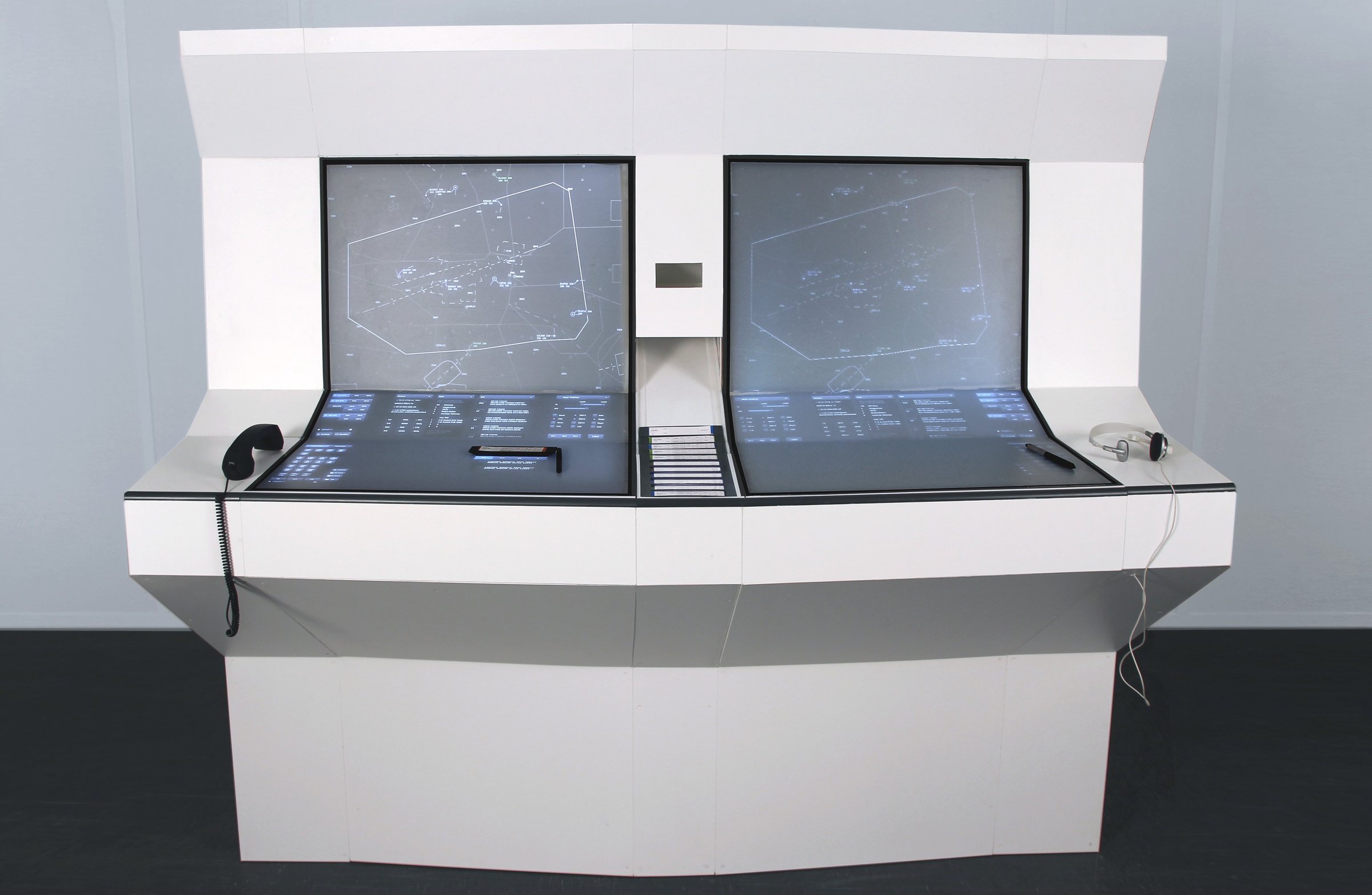
Two workstations.
One shared traffic picture.
ObservedPaper strips could be picked up, marked and arranged while controllers planned traffic.
Design responseA removable E-Ink strip would keep those actions and receive current information from the system.
We tested the removal gesture in foam, ureol and a 3D model. These were physical studies, not a working E-Ink device.
Observed in the model testThe curved mock-up distorted the image from some seats and made targets in the bend hard to reach.
Design responseA stepped surface kept radar, information and workspace in one field, with clearer places for input.
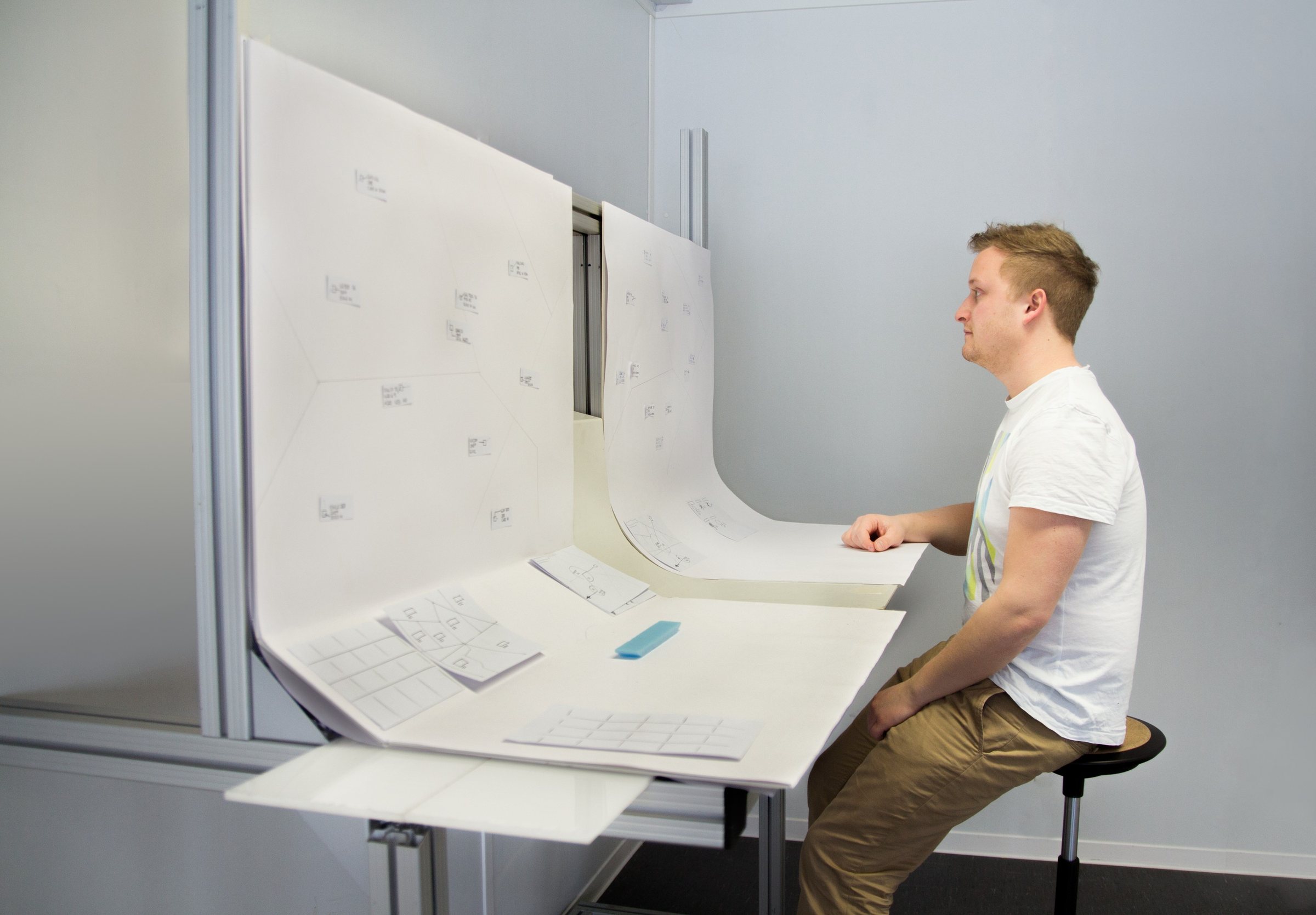
ObservedStrips and gestures helped two controllers coordinate without stopping to explain every action.
Design responseThe proposed 170° arrangement opened sightlines to the partner and their screen, with a shared strip bay between them.
05 / One flight
Arrival, planning, a changed value and hand-off form one connected journey. This representative journey combines separate original interface screens and photographs of the 1:1 model. Callsigns vary between the images; the sequence shows the proposed workflow, not an operational flight.
Incoming strips would appear in the shared bay. Their position and colour made the next work visible to both controllers; a new strip had to be actively accepted.
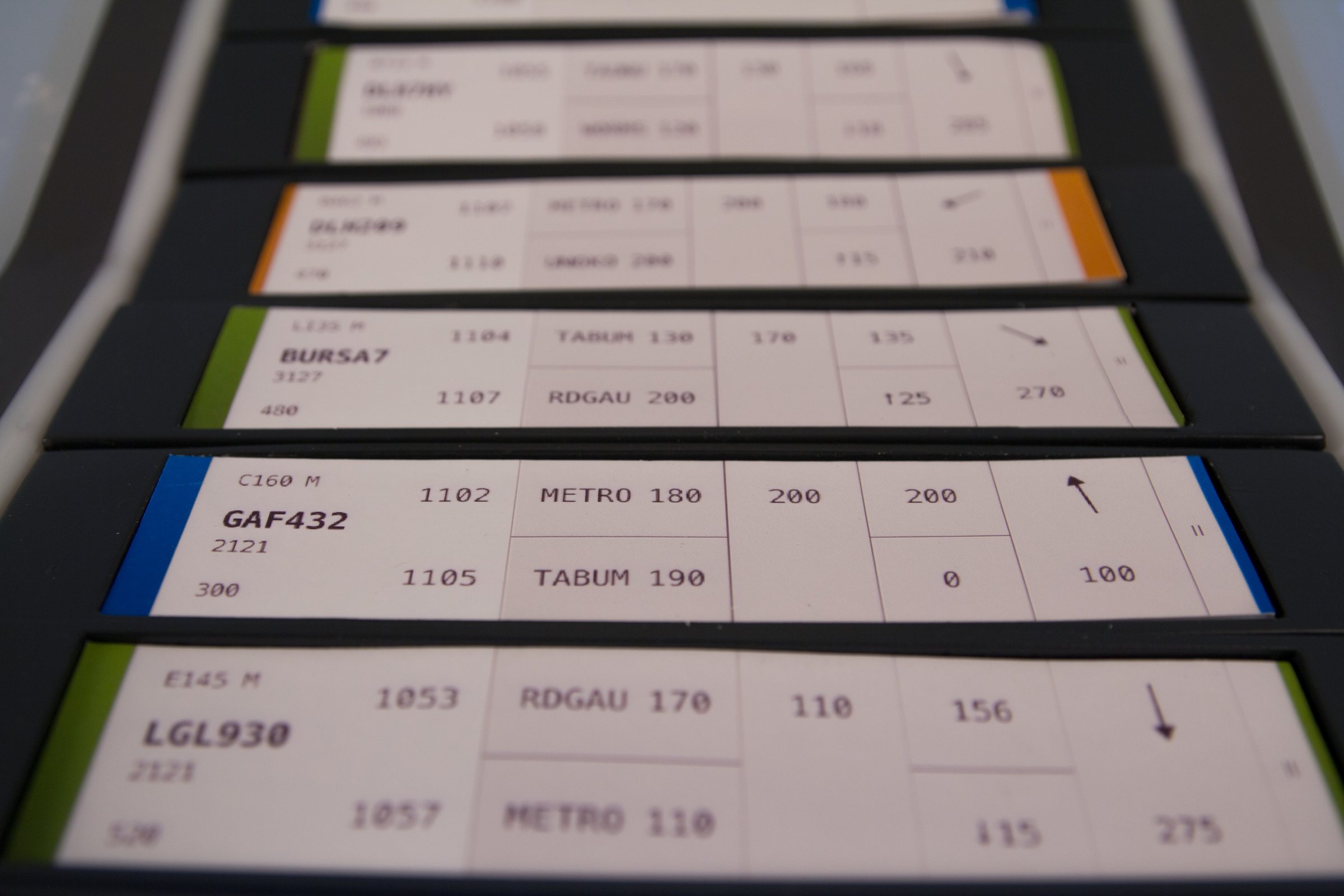
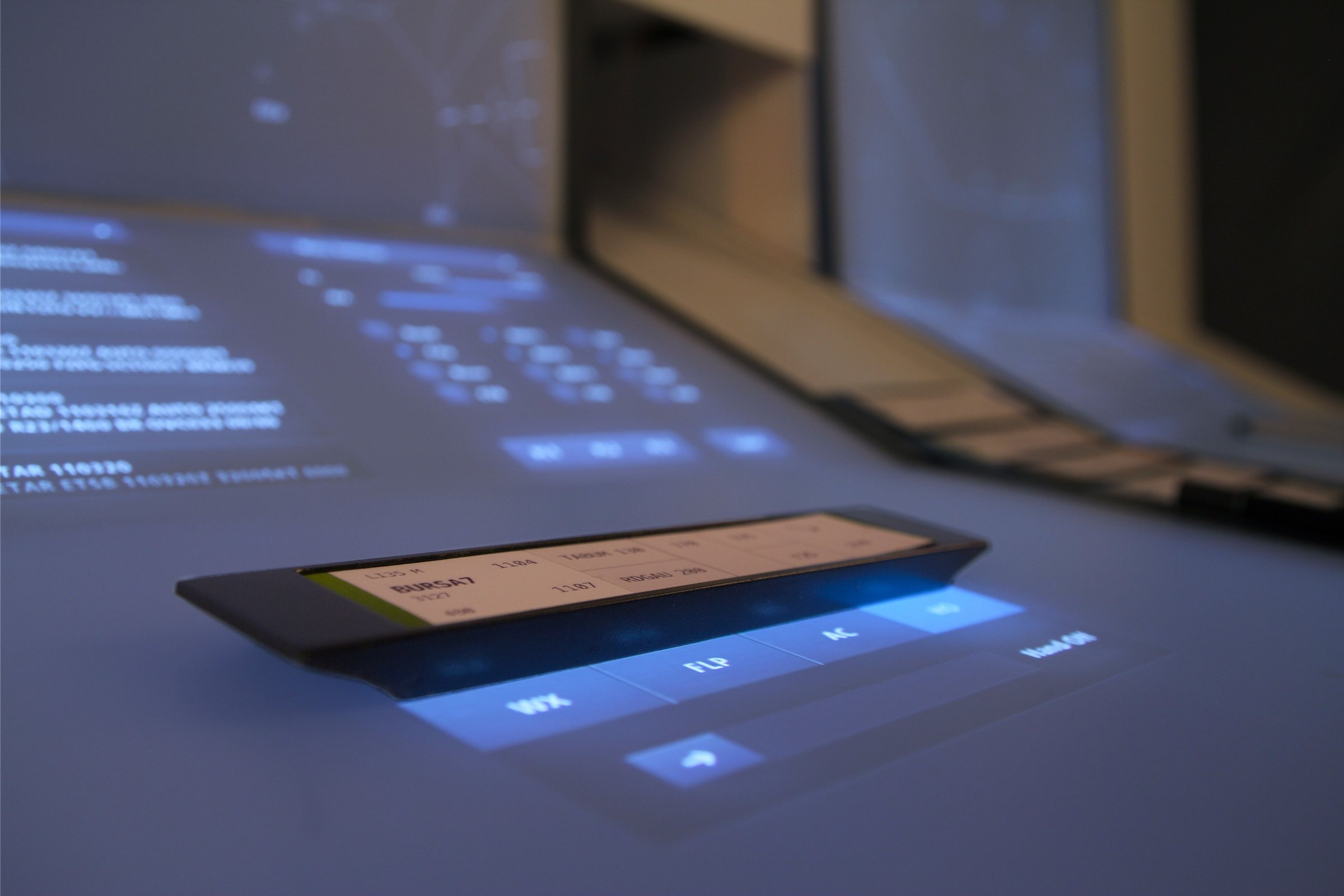
Placing a strip on the active surface would select its aircraft and route on radar. Weather, flight plan and aircraft details could open beside it.
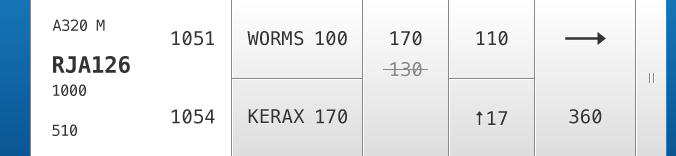
The controller would cross out the old altitude, write a new one and confirm it. The earlier value remained visible, and the radar label briefly inverted when the update took effect.
The HO control was designed for handing the flight to the next sector. After that action, the strip would darken and could be removed from the active surface.
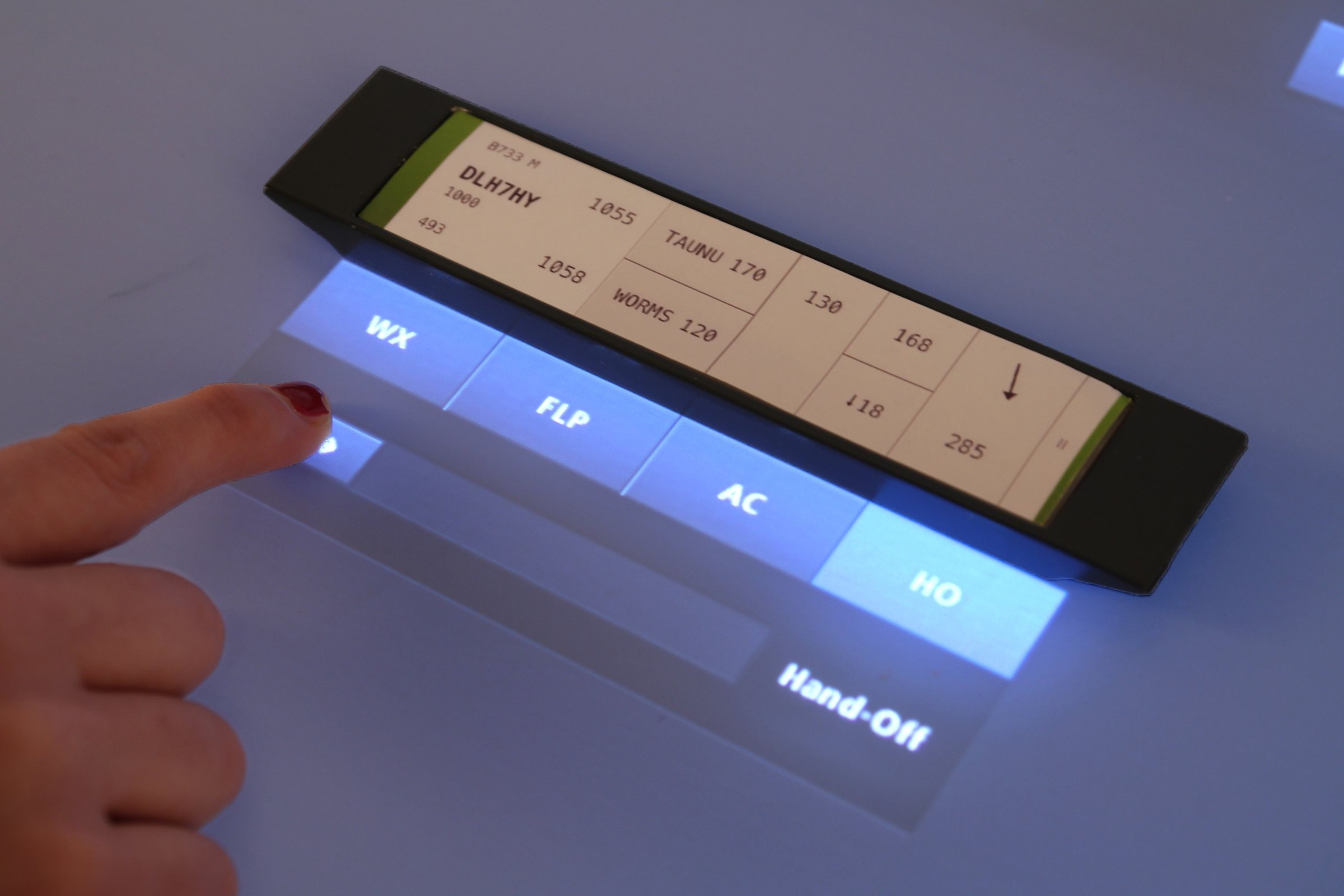
We tested how to carry a familiar paper gesture into the connected strip. The chosen sequence kept handwriting, gave it enough room and left the previous value visible.
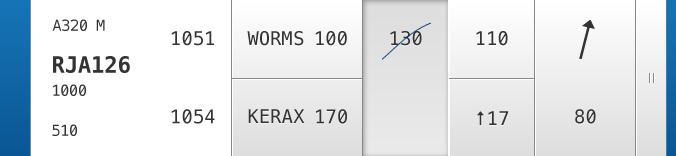
A familiar pen gesture starts the change. The old altitude is crossed out rather than disappearing at the first touch.
Original interface screens from 2013, arranged as an interactive sequence. · Original material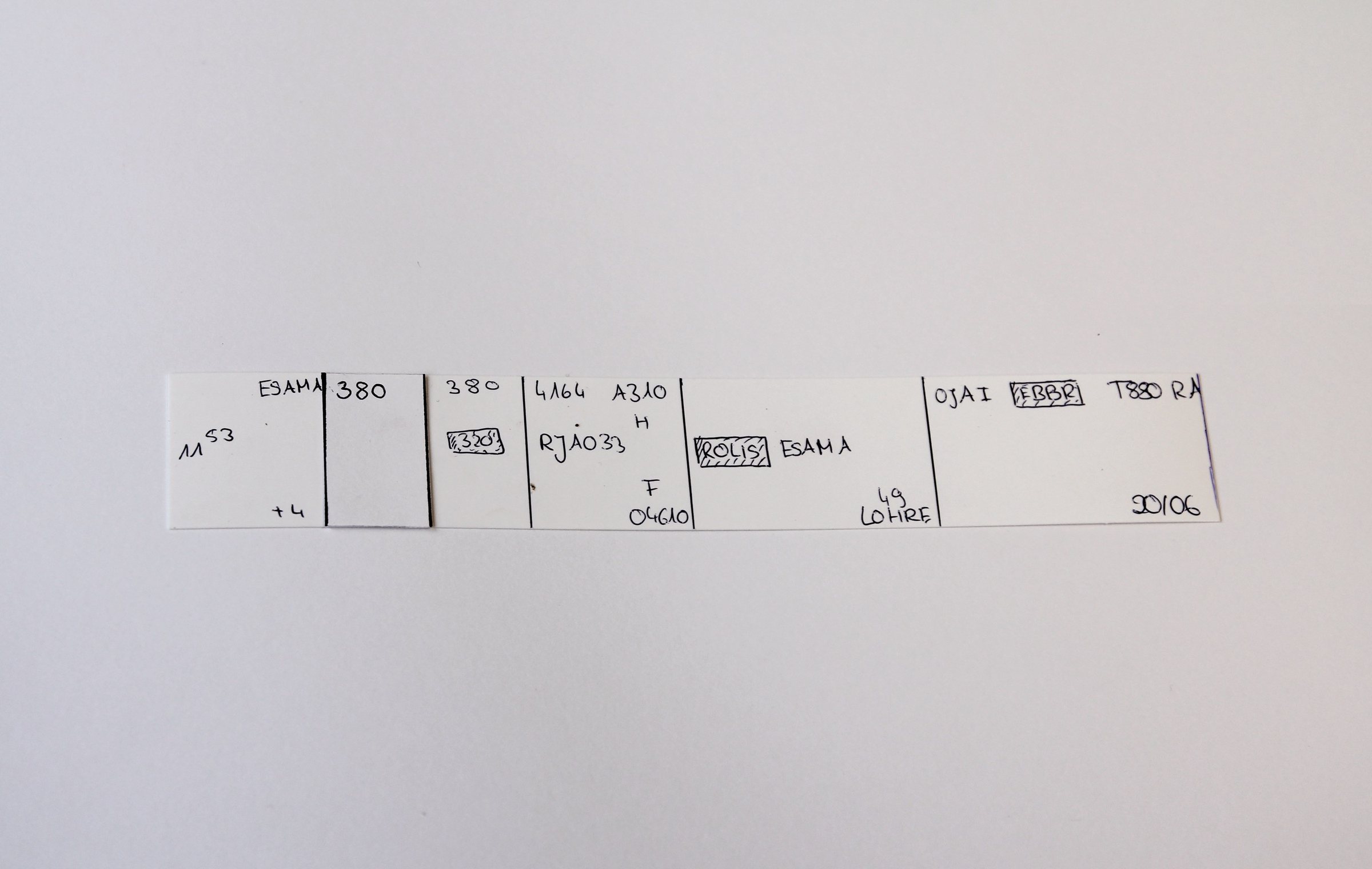
A dropdown might be quicker, but the physical act of writing was part of how controllers kept track of a change. In our paper prototypes, tapping again to confirm could also trigger accidental acceptance. A separate confirmation made the step deliberate.
The selected strip connected a flight on the desk to its aircraft and route on radar. Explore how the proposed label used colour for status and briefly inverted after a confirmed value change.
Choose a state or tap the label on the radar.
The strip still shows the earlier value. Confirming a new altitude updates the radar label and makes the change visible.
Interactive explanation based on the 2013 TESS interface screens. Flight details are illustrative. · Reconstruction
In the concept, shape, trail and altitude cues helped structure the traffic picture. Colour distinguished incoming flights, flights in the sector, pending hand-offs and warnings. A brief inversion marked a confirmed value change.
The interactive graphic explains the intended behaviour. The footage shows the projected interface in the full-scale model; neither was an operational radar system.
06 / Model
The team constructed a full-scale, two-person workstation with projected interface surfaces and physical strip stand-ins. Film and model made the concept tangible. They did not turn it into an operational air traffic control system.
What was real: the 1:1 structure, projection, interface design, physical strip models and film. What remained proposed: a functioning E-Ink strip, a finished OLED workstation and use in air traffic control.
Watch the original TESS film07 / What remains
A designed interface, a walk-in model with projected screens, a 243-page documentation and a three-minute film ↗. Final presentation in February 2013.
Shown at the HfG semester exhibition in February 2013 and mentioned in regional press coverage (Rems-Zeitung, Schwäbische Post).
Presented with our own stand at the student competition in October 2013.
We began with a strip of paper and ended with a broader question: when a system takes over a task, what happens to a person’s understanding of the situation? Our second thesis asked it in 2012. Today it is at the centre of my work on interfaces that keep people in control of AI, explored in Beyond Chat.
Next project
A memory system that captures moments the way the brain forms them — triggered by emotion. Master’s thesis, first place Zukunftspreis Kommunikation.